Model Access Control
Restrict which AI models are available for specific projects. Only Admins can configure these restrictions - other roles are bound by the settings.
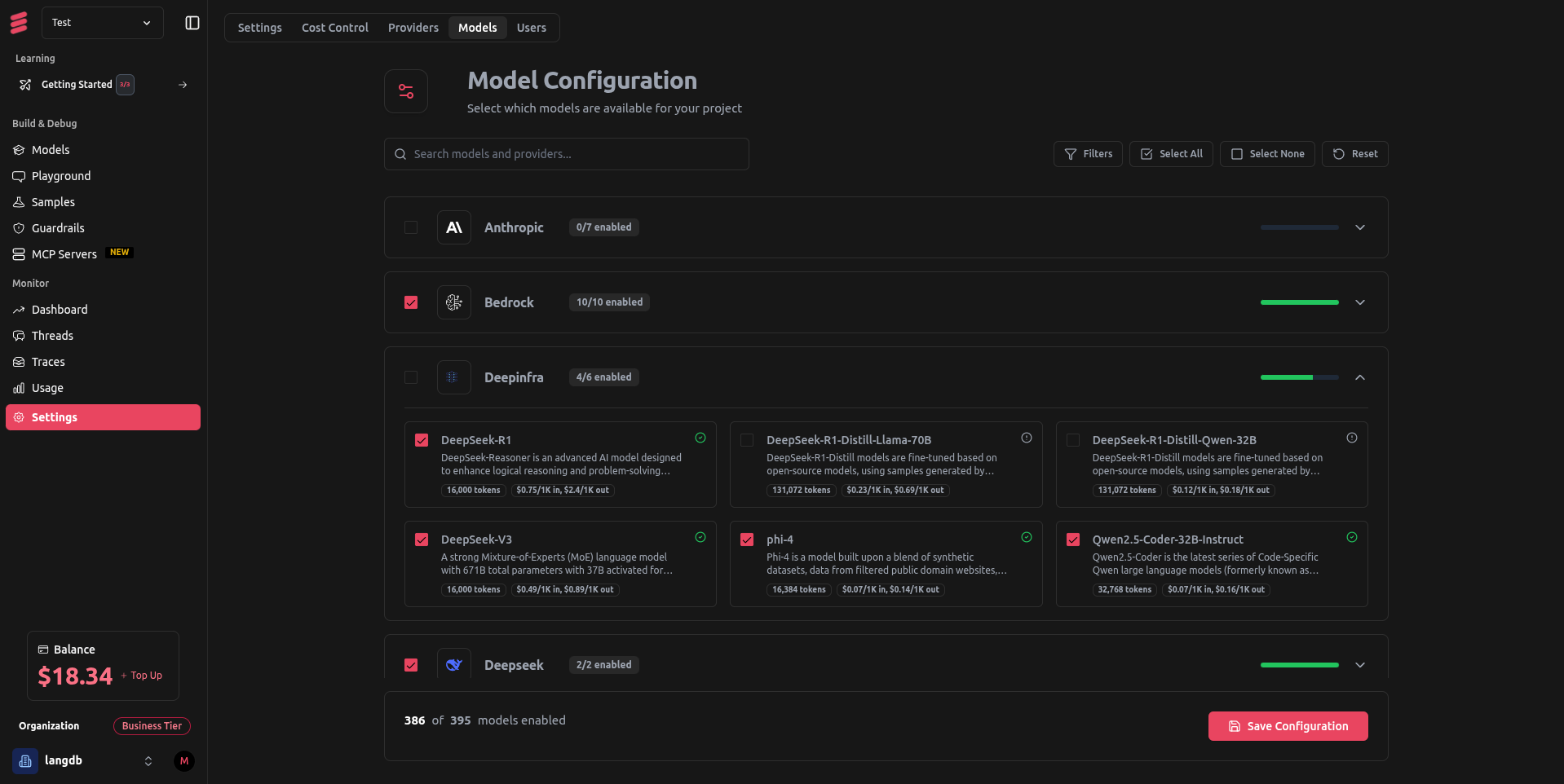
How It Works
- Admin-only configuration: Only Admins can set which models are allowed per project
- API enforcement: Restricted models return access denied errors
- Team-wide: All project members are bound by the same restrictions
- Universal: Works across all API endpoints and integrations
Setup (Admin Only)
- Project Settings → Model
- Select allowed models from the list
- Save configuration
Test with an API call to verify restrictions are working.
Common Use Cases
- Cost control: Restrict expensive models in dev environments
- Production stability: Only allow tested models in production
- Compliance: Meet regulatory requirements by limiting model access
Troubleshooting
"Model not available" errors:
- Check if the model is in the project's allowed list
- Verify model restrictions are enabled
- Confirm you're using the correct model identifier
Can't modify restrictions:
- Only Admin role can configure restrictions